



Lenovo Chromebooks
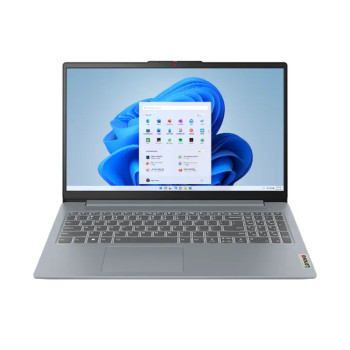
Lenovo Chromebooks offer simple, practical performance for study, work, home use and entertainment. Choose from portable IdeaPad, touchscreen, 2-in-1 and Chromebook Plus models, then compare processor, memory, storage, screen size and portability to find the right fit.
Finance available
Free Delivery *
Finance available
Free Delivery *
Finance available
Free Delivery *
Finance available
Free Delivery *
Finance available
Showing 5 of 5 Items
Lenovo Chromebooks for Online Work, Study & Entertainment
Lenovo Chromebooks are designed around ChromeOS, making them particularly well suited to people whose everyday tasks happen online. Students can work on assignments, research topics and join online lessons, while home users can manage email, browse the web, stream entertainment and keep documents stored in the cloud.
For remote workers with browser-based workloads, a Lenovo ChromeOS laptop can handle video calls, online documents, web applications and everyday communication without requiring an unnecessarily powerful system. Their generally portable designs also make them practical for carrying between home, university, the office or other workspaces.
Users who want to compare Lenovo models with other ChromeOS laptops can also consider different brands, screen sizes and configurations before choosing.
How to Choose a Lenovo Chromebook
The best Lenovo Chromebook depends more on your everyday workload than simply choosing the highest specification. Consider these areas before buying:
- Processor: Entry-level processors are suitable for browsing, documents and streaming, while faster processors are better for heavier multitasking and frequent video calls.
- RAM: More memory helps when keeping multiple browser tabs, applications and online tools open at once.
- Storage: Chromebooks are designed around cloud storage, although extra local storage is useful for downloads, Android apps and offline files.
- Screen: Consider both size and resolution. Compact screens improve portability, while larger or higher-resolution displays offer more working space.
- Touchscreen: Touch controls can make navigation, entertainment and Android apps more intuitive.
- 2-in-1 design: A Lenovo Chromebook 2-in-1 can switch between laptop and tablet-style use. You can also compare other 2-in-1 options when flexibility is important.
- Battery life: Longer battery life is useful for lectures, commuting and working away from a charger.
- Connectivity: Check available USB, USB-C, display connections, Wi-Fi and Bluetooth support against the devices you intend to connect.
Lenovo Chromebook Features & ChromeOS Compatibility
ChromeOS is centred around web-based applications and cloud services. A Lenovo Chromebook can be used for Google Docs, Sheets and Slides, email, online meetings, streaming, cloud storage and many other browser-based tasks.
Supported devices can also run Android apps through Google Play, although app compatibility can vary between devices, applications and managed work or education accounts. Some ChromeOS features also work offline. Documents and selected files can be made available locally, allowing you to continue working without a constant internet connection and sync changes later.
The main limitation is specialist desktop software. Traditional Windows or macOS applications do not normally install on ChromeOS in the same way, so buyers who rely on specific desktop programs should check compatibility before purchasing. For software that specifically requires Microsoft Windows, Windows-based laptops may be more suitable.
Lenovo Chromebooks by Use Case
Different Lenovo Chromebooks suit different types of users, so think about where and how the device will normally be used.
- Students: Lightweight IdeaPad models can suit coursework, research, online lessons, note-taking and everyday browsing.
- Home users: Lenovo’s standard Chromebook is well suited to shopping, email, social media, streaming and managing household documents.
- Remote workers: Models with more RAM, a good webcam and a comfortable Full HD display can make multitasking and video calls easier.
- Travel: Compact models and the Lenovo Chromebook Duet are useful when portability and flexible use matter more than having a large display.
Touch controls can also be useful for entertainment, presentations and more hands-on navigation. Users who value this feature can compare the wider range of touchscreen laptops.
Refurbished Lenovo Chromebooks
A refurbished Lenovo Chromebook can offer good value for students, families or everyday users who want to reduce the purchase price without moving away from ChromeOS.
- Specifications can vary considerably between refurbished models, so check the processor, RAM, storage and screen rather than choosing on price alone.
- Review the condition grading and warranty cover before buying.
- Check the device's ChromeOS update schedule, particularly with older models, as every Chromebook has a defined period for automatic software and security updates.
Laptop Outlet's wider range of pre-owned Chromebooks provides additional models to compare when refurbished value is a priority.
Lenovo Chromebook Models & Ranges
The Lenovo's range of Chromebook covers traditional clamshell laptops alongside flexible touchscreen devices.
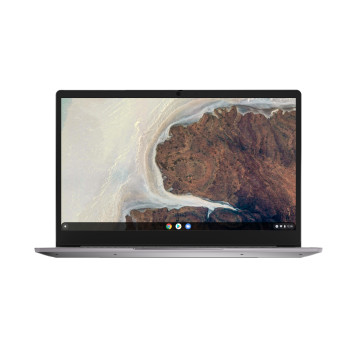
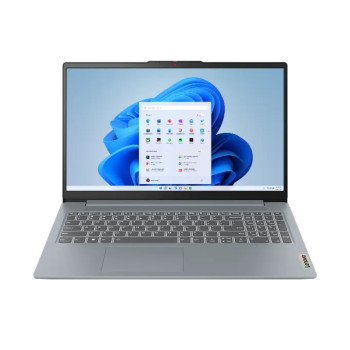
Lenovo IdeaPad Chromebook models are aimed primarily at straightforward everyday computing. Current IdeaPad and IdeaPad Slim 3 options provide conventional laptop designs suited to study, browsing, documents and home use.
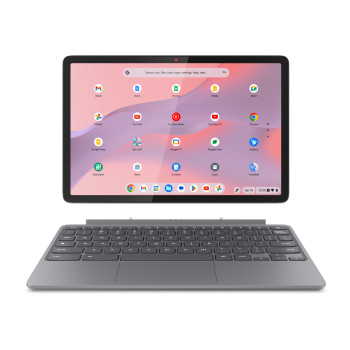
The Lenovo Chromebook Duet takes a more portable approach. Its compact 2-in-1 design is useful for buyers who want a device that can move between keyboard-based productivity and touch-focused use.
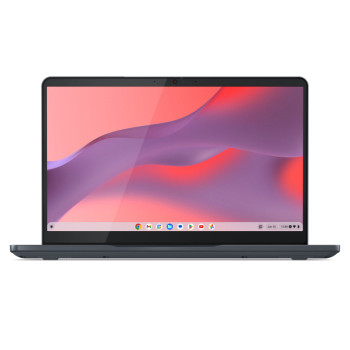
A Lenovo Flex Chromebook combines a larger laptop-style display with touchscreen flexibility, while a Lenovo Chromebook Plus laptop offers a higher specification for people who expect to multitask more heavily or want greater local storage.
For Windows, business, gaming and other Lenovo devices, the wider Lenovo laptop range offers additional options.
Buy Lenovo Chromebooks from Laptop Outlet
Laptop Outlet offer Chromebooks across different specifications, screen sizes and designs, including everyday IdeaPad devices, touchscreen options, 2-in-1 models and refurbished choices.
| You can also spread the cost of your Lenovo Chromebook with flexible PayPal Finance options, including PayPal Pay in 3 and PayPal Credit. Eligible purchases can be paid in monthly instalments, subject to approval and terms. |
Compare the processor, RAM, storage, display and portability of available Lenovo Chromebook deals to choose a model that fits your workload and budget.
Read More
Best Chromebooks in 2026: Top Picks for Work, Students and Everyday Use
What’s the Main Difference Between Lenovo Chromebook and IdeaPad?
ChromeOS Flex: What It Is and How to Install It on Any PC or Mac
Read more