



Lenovo Thinkbook Laptops
Lenovo ThinkBook laptops are built for modern professionals who need dependable performance and smart design. Combining powerful processors, fast storage, and long battery life, they keep pace with busy workdays and hybrid working. Sleek, lightweight builds pair with enhanced security features to protect your data wherever you work. Ideal for small businesses and growing teams, these laptops deliver productivity, reliability, and value in one versatile device. Designed for seamless multitasking, collaboration, and everyday business efficiency at home or in office environments.
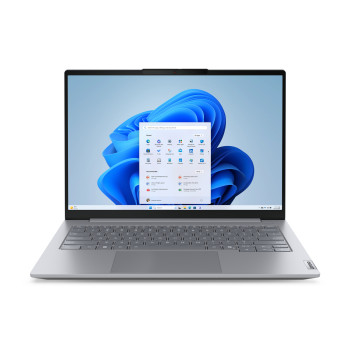
Finance available
Free Delivery *
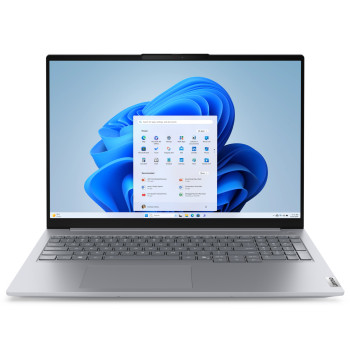
Finance available
Free Delivery *
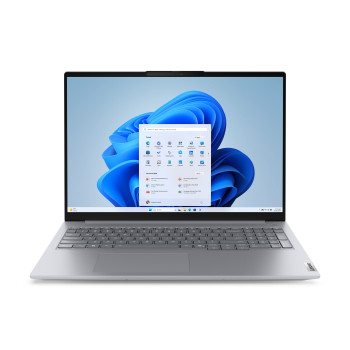
Finance available
Free Delivery *
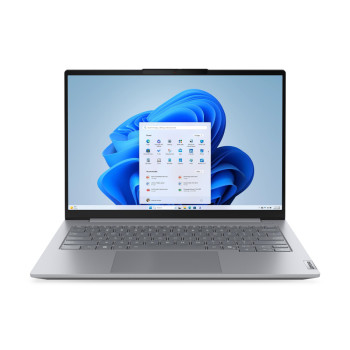
Finance available
Free Delivery *
Finance available
Free Delivery *
Finance available
Free Delivery *
Finance available
Free Delivery *
Finance available
Free Delivery *
Finance available
Free Delivery *
Finance available
Free Delivery *
Finance available
Free Delivery *
Showing 11 of 11 Items
Explore Lenovo ThinkBook Laptops Built Around Your Workday
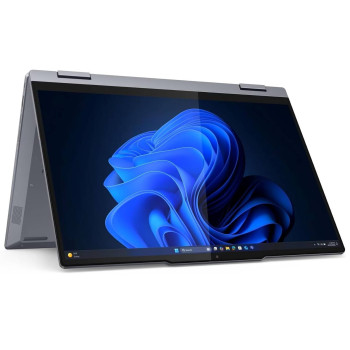
ThinkBook is Lenovo's business range for small and growing companies, aluminium-built and quieter than a consumer machine, without the enterprise management overhead of a ThinkPad. You can choose 14 or 16 inch models with Intel Core or AMD Ryzen processors, 16GB or 32GB memory and NVMe storage, most with a fingerprint reader and a physical webcam shutter.
Why ThinkBook Works for Growing Teams
ThinkBook is designed for shoppers who want a professional work laptop without moving straight into Lenovo's more enterprise-focused range. The aluminium build gives the range a business-ready feel, while the available processor, memory and storage combinations let you choose around the work you actually do.
That makes Lenovo ThinkBook laptops particularly relevant for small companies, growing teams and professionals who need one machine for documents, browser-based tools, meetings, and everyday multitasking. If you want to compare ThinkBook with other Lenovo families before deciding, browse Lenovo's full line-up.
Choose the Right ThinkBook Screen Size
The main decision between Lenovo ThinkBook 14 and Lenovo ThinkBook 16 is how much you value portability compared with screen space. Neither size is automatically better; the right fit depends on where you work and how often the laptop moves with you.
|
Size |
Best suited to |
Practical advantage |
|
14 inches |
Commuting, hybrid work and moving between desks |
A more compact format that is easier to carry and use in tighter workspaces |
|
16 inches |
Desk-based work, spreadsheets and document-heavy tasks |
More screen space for larger worksheets, documents and side-by-side windows |
Lenovo ThinkBook 14
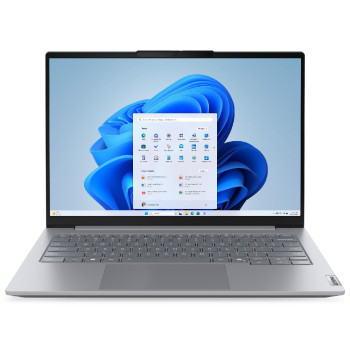
A Lenovo ThinkBook 14 is the more practical format if you regularly carry your laptop between home, the office, meetings or client sites. The smaller screen keeps the machine compact while still giving you enough room for common business applications and day-to-day admin.
If portability is your main priority, you can also compare ThinkBook with other compact 14 inch machines before choosing.
Lenovo ThinkBook 16
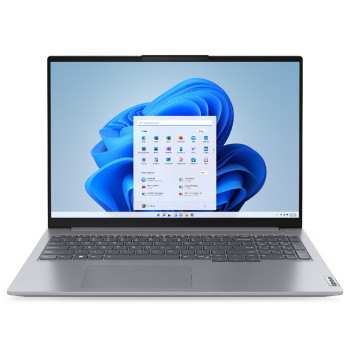
A Lenovo ThinkBook 16 gives you a larger workspace, which can be useful when your day involves spreadsheets, long documents or two windows open side by side. It suits users who spend more time working at a desk and value viewing space over the smallest possible footprint.
If your shortlist extends beyond ThinkBook, compare other Lenovo machines built for work using the same priorities: screen size, workload and the specification you genuinely need.
Matching Specification to Workload
Start with the software and tasks you use most often rather than choosing a specification simply because it is higher.
- Processor: ThinkBook configurations can include Intel Core or AMD Ryzen processors, so check the full processor listed on each product and match it to the complexity of your workload. For example, "Intel Core Ultra 5/7 (Series 2)" or "AMD Ryzen 7040/8040 series".
- Memory: 16GB comfortably handles office applications, browser-based tools, video calls, and normal multitasking. Go to 32GB if you regularly run many apps at once, work with large files, or use memory-heavy business software.
- Storage: NVMe SSD capacity should match how much you keep locally documents and project files versus larger media or dev environments. Choose capacity around what you keep on the laptop rather than relying on a one-size-fits-all figure.
Where ThinkBook Fits in Lenovo's Range
ThinkBook sits between a conventional consumer laptop and Lenovo's enterprise-focused ThinkPad family. Its proposition is straightforward: professional styling, aluminium construction, practical privacy features on most models and configurations aimed at everyday business work, without treating it as simply a lower-cost ThinkPad.
If enterprise-focused requirements are central to your buying decision, the ThinkPad family is the more relevant range to compare. If your priority is a flexible 2-in-1 form factor instead of a conventional clamshell business laptop, explore Lenovo's convertible Yoga models.
Shop ThinkBook with Laptop Outlet
Laptop Outlet lets you compare Lenovo ThinkBook configurations by screen size, processor, memory, and storage, so you can narrow the category around the way you work rather than choosing on specification alone.
If you are open to a different condition grade, certified pre-owned models can also be worth comparing alongside new devices. For a ThinkBook purchase, monthly payment options are available, and you can review the PayPal payment information before ordering.
Read More:
4 BEST LENOVO LAPTOP FOR STUDENTS - GUIDE TO BUY
Review: Lenovo ThinkPad X1 Carbon 14in 4G LTE Ultrabook Core i7
Lenovo Thinkpad A285 12.5" Business Laptop AMD Ryzen 5 - Review
Read more