



Ram and Memory
Upgrade your PC or laptop with RAM built for smoother multitasking, gaming and demanding workloads. ...
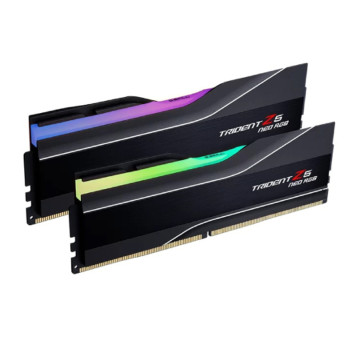
Finance available
Free Delivery *
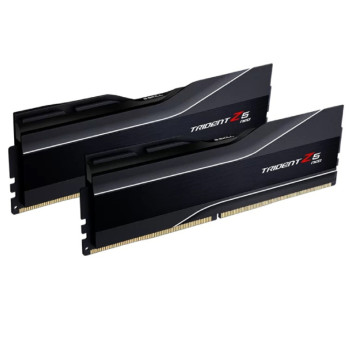
Finance available
Free Delivery *
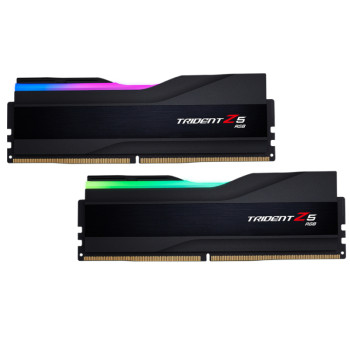
Finance available
Free Delivery *
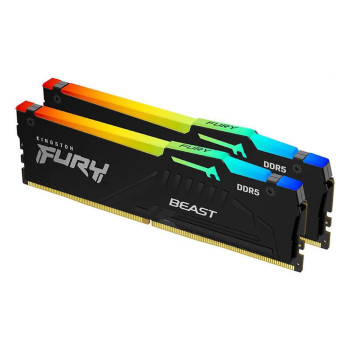
Finance available
Free Delivery *
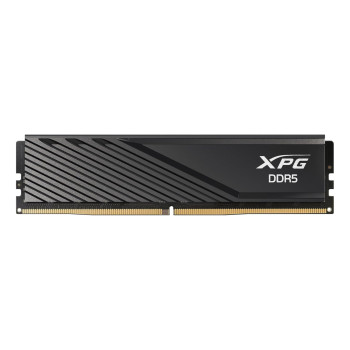
Finance available
Free Delivery *
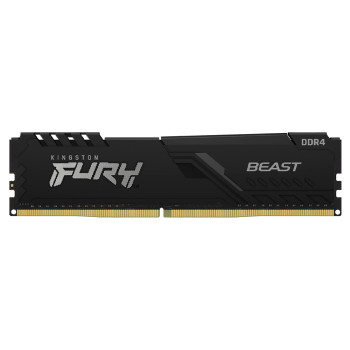
Finance available
Free Delivery *
Showing 6 of 6 Items
RAM & Memory for PCs and Laptops
Upgrade your system with RAM and memory for PCs and laptops, whether you are refreshing an existing device or completing a new build. More memory can give applications greater capacity to run together, helping your computer handle everyday work, gaming and demanding software more comfortably.
Desktop systems typically use full-size desktop RAM, while laptops require smaller memory modules designed for compact systems. Compare capacity, generation and speed to find computer RAM that matches your hardware and workload.
How Much RAM Do I Need?
Choose a capacity that gives you enough memory for what you actually run:
- 8GB RAM: Suitable for lighter everyday computing, web browsing, email and basic office applications.
- 16GB RAM: A strong option for everyday multitasking, work, study and many gaming setups.
- 32GB RAM: Offers extra headroom for gaming, heavier multitasking, content creation and professional software.
- 64GB+ RAM: Better suited to demanding creative workflows, large projects, virtual machines and workstation-class use.
If you are upgrading a notebook, compare compatible laptop RAM in the capacity your system supports.
DDR4 vs DDR5 RAM
Both DDR4 and DDR5 remain relevant, but the correct choice depends on your motherboard and processor platform.
DDR4 RAM is widely used across established desktops and laptops, with plenty of capacities and speeds available. DDR5 is the newer generation, offering higher potential data rates and increased bandwidth for compatible modern systems.
DDR4 and DDR5 are not interchangeable. Their physical and electrical specifications differ, so always buy the generation supported by your computer.
Desktop RAM vs Laptop RAM
Desktop and laptop memory may perform the same basic job, but the modules are physically different.
Desktop PCs generally use DIMM memory, while laptops commonly use smaller SO-DIMM modules. A desktop DIMM will not fit a laptop SO-DIMM slot, and vice versa.
When upgrading memory for laptops, compare laptop RAM specifically rather than selecting a module based on capacity or DDR generation alone.
How to Choose the Right RAM from Laptop Outlet
Finding the right RAM starts with compatibility, followed by the specifications that matter to your workload.
- Capacity: Choose enough memory for your applications and multitasking needs.
- Speed: Compare supported memory speeds rather than simply buying the highest-rated module.
- DDR generation: Match DDR4 or DDR5 RAM to your motherboard.
- Form factor: Choose DIMM for compatible desktops or SO-DIMM for compatible laptops.
- Compatibility: Check maximum capacity, available slots, supported speeds and existing memory before ordering.
The right combination gives you a RAM upgrade that works properly with the rest of your system.
RAM for Gaming, Work & Content Creation
Different workloads benefit from different memory configurations. 16GB gaming RAM can suit many systems, while 32GB gives demanding games, streaming and background applications additional headroom.
For office work and everyday multitasking, 8GB or 16GB may be enough depending on the software you use. Content creators working with large video, image, audio or 3D projects may benefit from 32GB, 64GB or more.
Building a complete system? Compare other PC components alongside your high-speed RAM to create a more balanced setup.
How to Check RAM Compatibility
Before buying a memory module, check your system or motherboard specification for:
- Supported DDR generation
- DIMM or SO-DIMM form factor
- Number of memory slots
- Maximum RAM capacity
- Supported memory speeds
- Current module capacity and configuration
Your computer motherboard determines which desktop RAM generations, capacities and speeds can be supported. Laptop specifications should be checked carefully too, as some models have limited upgradeable memory or soldered RAM.
Matching these specifications before ordering helps you narrow the range to memory that suits your system.
RAM & Memory Brands
Laptop Outlet stocks RAM from brands including Kingston, Corsair, G.Skill, ADATA and Origin Storage, with options covering everyday upgrades, gaming PCs, laptops and higher-capacity performance builds.
Rather than choosing on brand alone, compare the specification that fits your system. Available memory modules include DDR4 and DDR5 options, desktop DIMMs, laptop SO-DIMMs, single modules and multi-module kits across different speeds and capacities.
This makes it easier to compare RAM deals based on compatibility, capacity and performance requirements.
Upgrade Your PC with RAM
A RAM upgrade makes sense when your computer regularly runs low on available memory, struggles while several applications are open or needs more capacity for demanding software.
Memory is only one part of overall system performance. If Windows and applications take too long to start or files load slowly, upgrading to an internal SSD may make a bigger difference.
For CPU-heavy workloads, an upgrade from the range of PC processors may be more suitable, while graphics-intensive gaming and creative work can depend more heavily on your GPU.
Buy RAM & Memory from Laptop Outlet
Shop PC RAM and laptop memory at Laptop Outlet for upgrades, new builds and performance-focused systems. Compare DDR4 and DDR5 memory across different capacities, speeds and module configurations, with options from Kingston, Corsair, G.Skill, ADATA and Origin Storage.
| Upgrading to higher-capacity or faster RAM can be easier to manage with flexible payment options. Use PayPal Finance on eligible purchases to spread the cost of your memory upgrade while choosing the capacity and speed your system needs. |
Whether you need 8GB for everyday computing, 16GB for multitasking, 32GB gaming RAM or 64GB+ for demanding workloads, you can narrow your choice around the specification your system supports. Compare compatible memory modules, current RAM deals and performance options in one place.
Find the right RAM for your PC or laptop and upgrade today.
Read More
How Much RAM Do You Really Need?
Read more