



Upgrade to Windows 11
We know you’ve got a lot to do. Every day delivers a new challenge. Well, those challenges are about to get easier with Windows 11.
Meet Windows 11
Intuitive navigation. Easy organization. Faster performance. Plus, new features to unlock your productivity and creativity. Explore these Windows 11 features and learn why Windows 11 is the best Windows yet.
Easier to use
Explore how you can get things done in a fast and easy way when you use Windows 11.
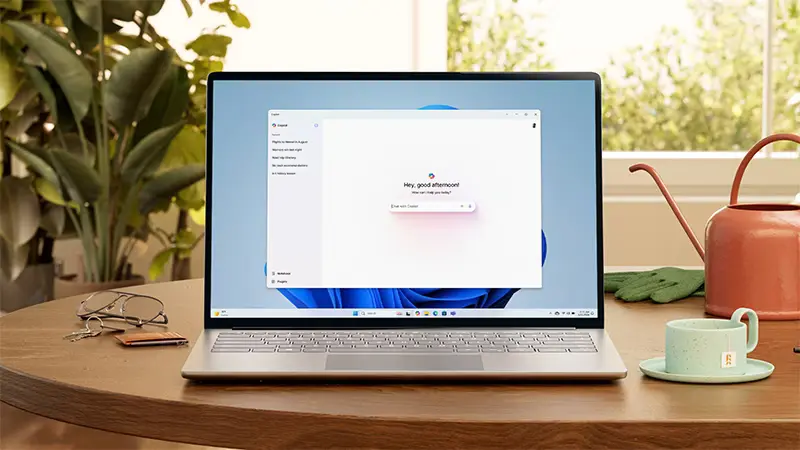
Copilot in Windows 11
Copilot is your AI-powered assistant, here to help you find the relevant information and inspiration you need to power your own ideas.14
Easier to be productive
Bring balance to your desktop with easy-to-use tools and Windows 11 features that help you optimize your screen space and maximize your productivity.
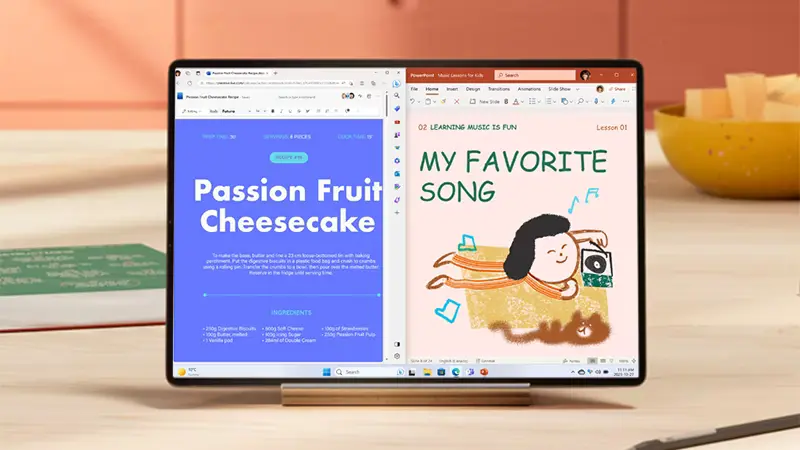
Snap assist
Organize what's on your screen in a snap so you can bring out your best ideas. Just drag a window to the edge of the screen to activate Snap assist and “snap” them into a clean, organized grid.3
Easier to stay safe
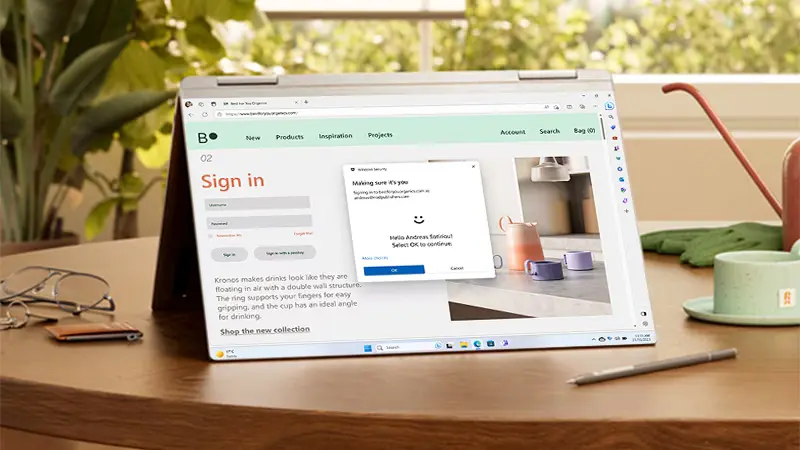
Windows 11 features give you the power to create, collaborate, and keep your stuff protected.
Performance and security
From the moment you start up, Windows 11 is on guard. It works in combination with your hardware and was designed with multiple layers of protection to help keep your apps, information, and identity secure.5
Easier to play
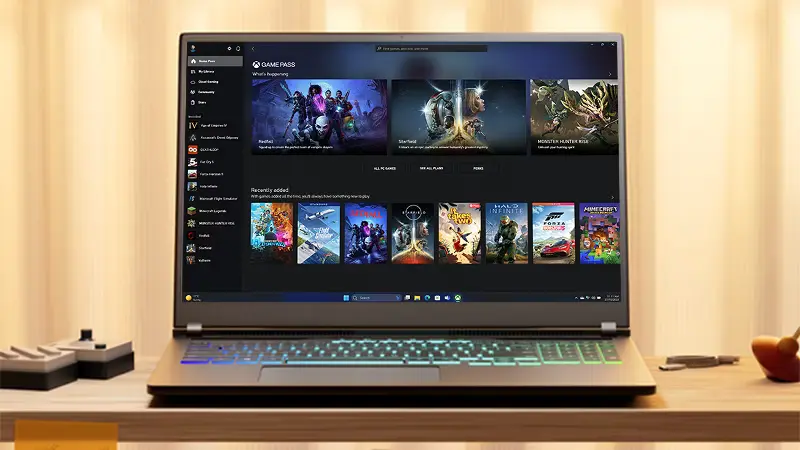
Play the latest games with graphics that rival reality. When it comes to playing your way, Windows 11 features make it happen.
PC Game Pass
Play hundreds of high-quality PC games with friends, including new day one releases.7
A new AI era begins
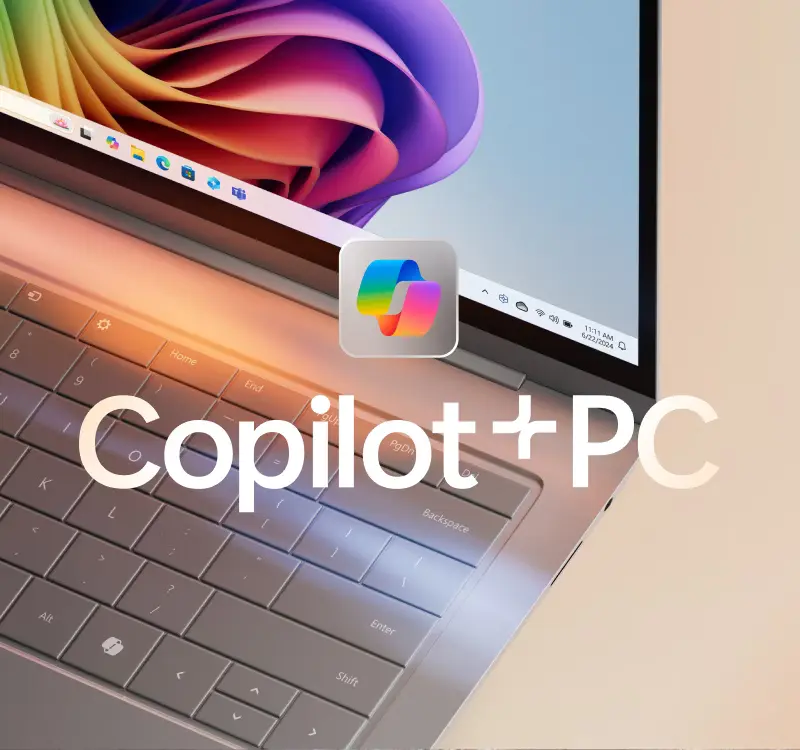
Introducing the fastest, most intelligent Windows PCs ever. Windows 11 copilot+ PCs give you lightning speed, unique Copilot+ PC experiences, and more at a price that outperforms.
Find the right fit
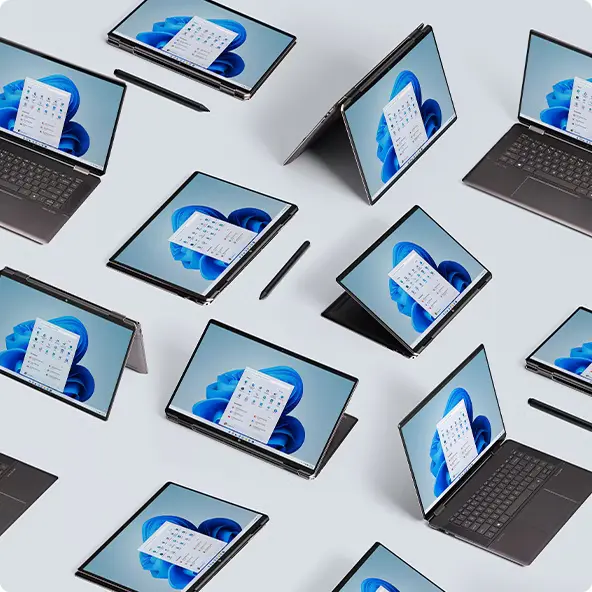
Sleek, innovative, and exactly what you need. Find a Windows 11 PC that fits your needs today.
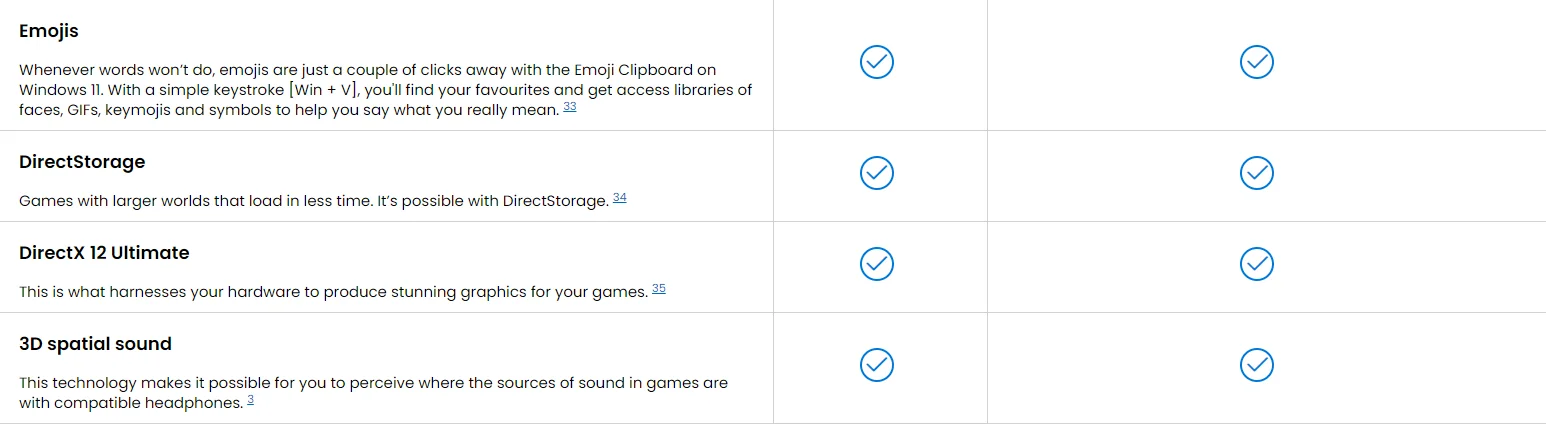
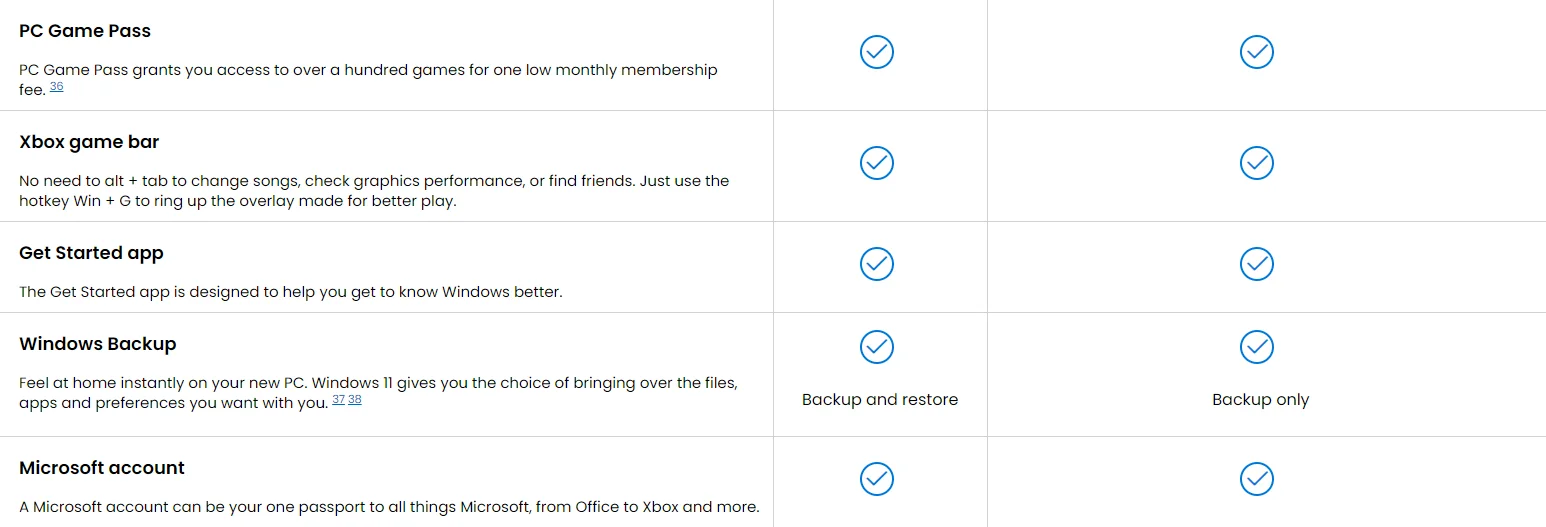
Windows 11 vs Windows 10
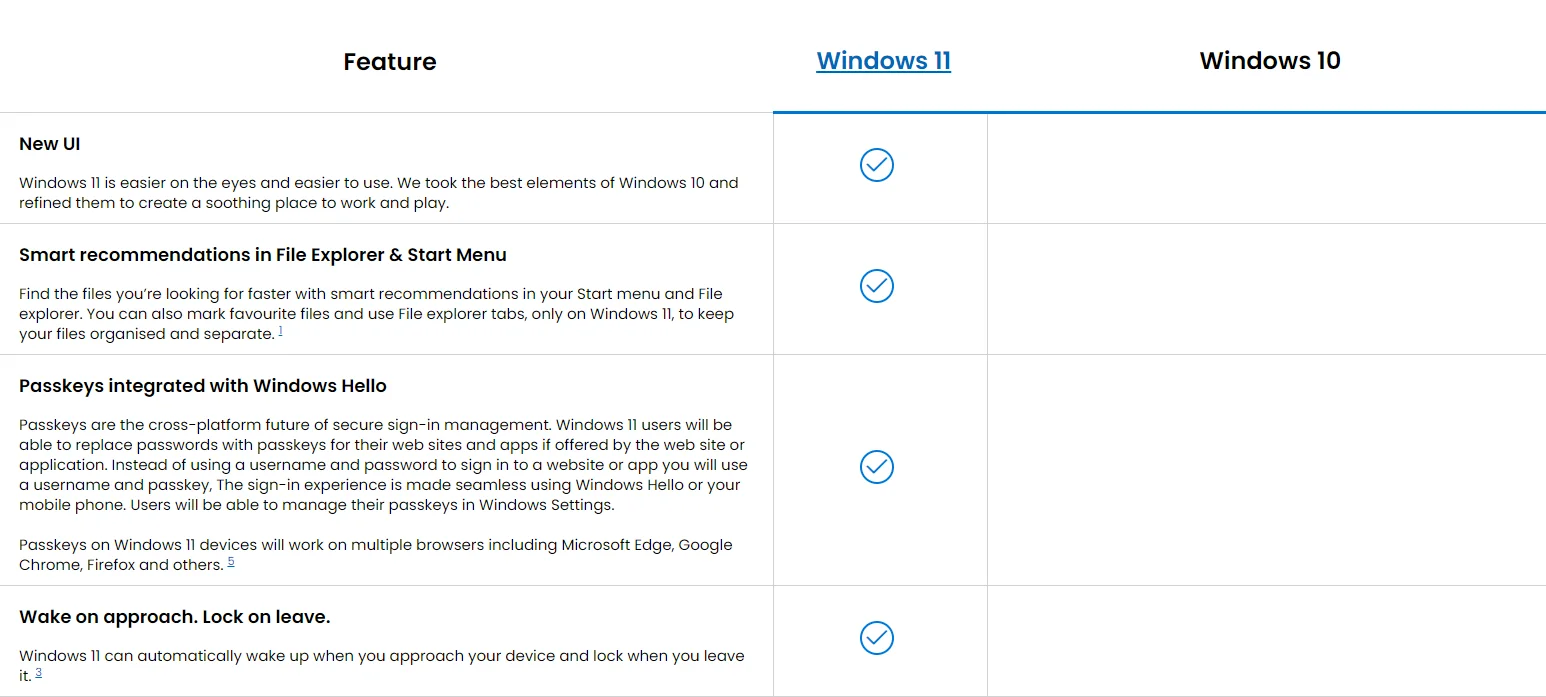
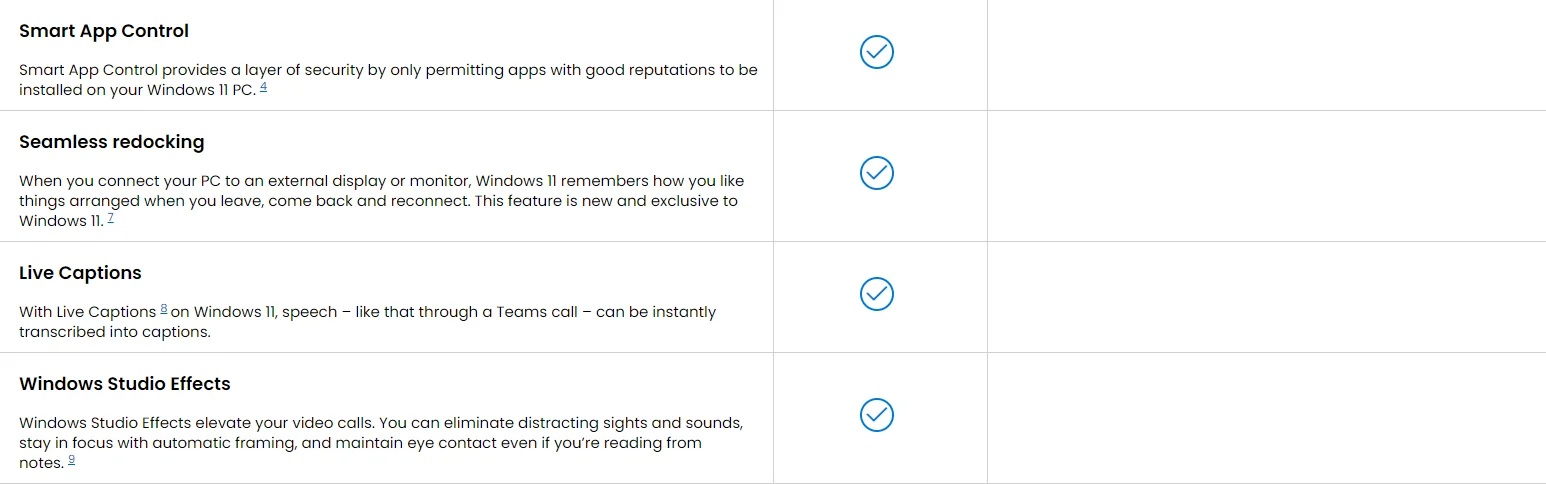
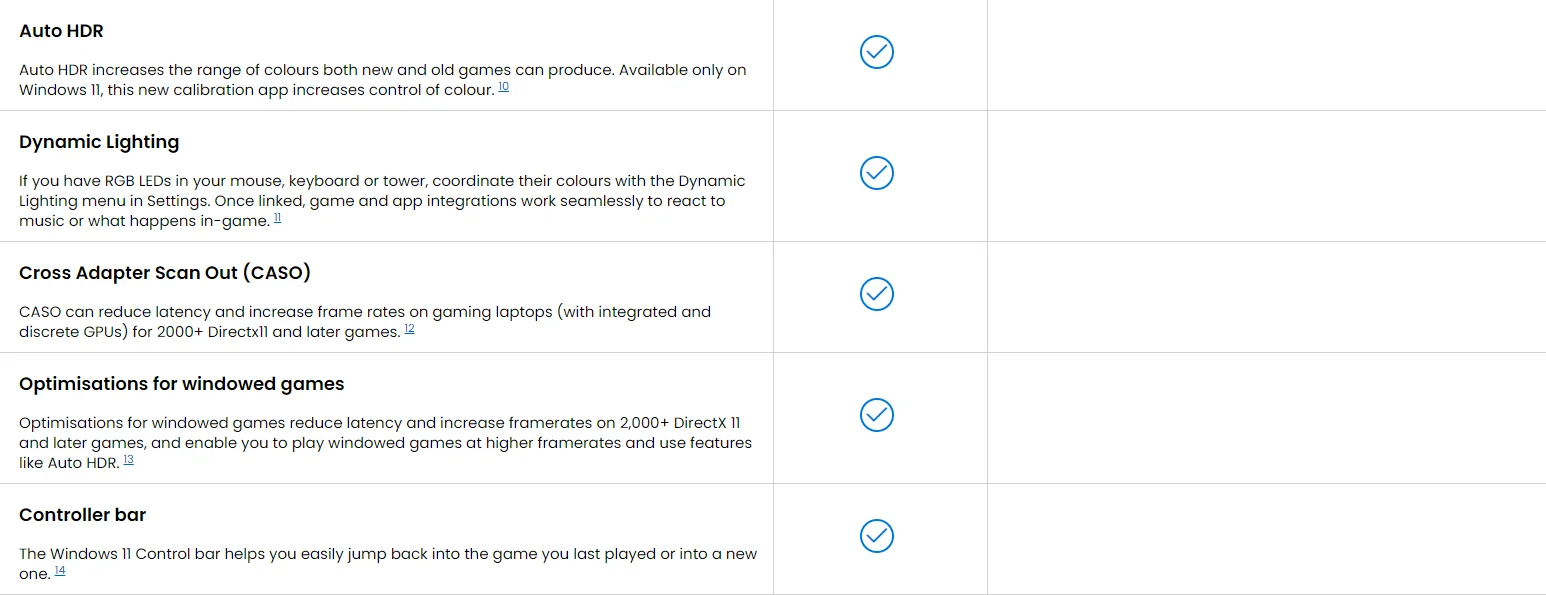
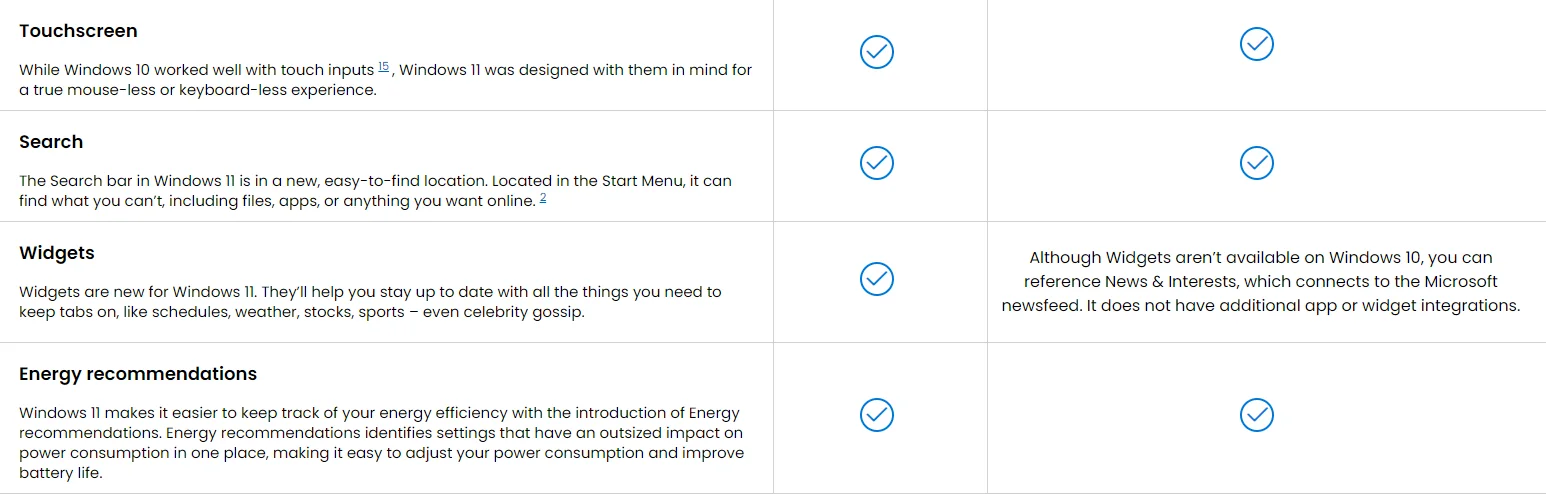
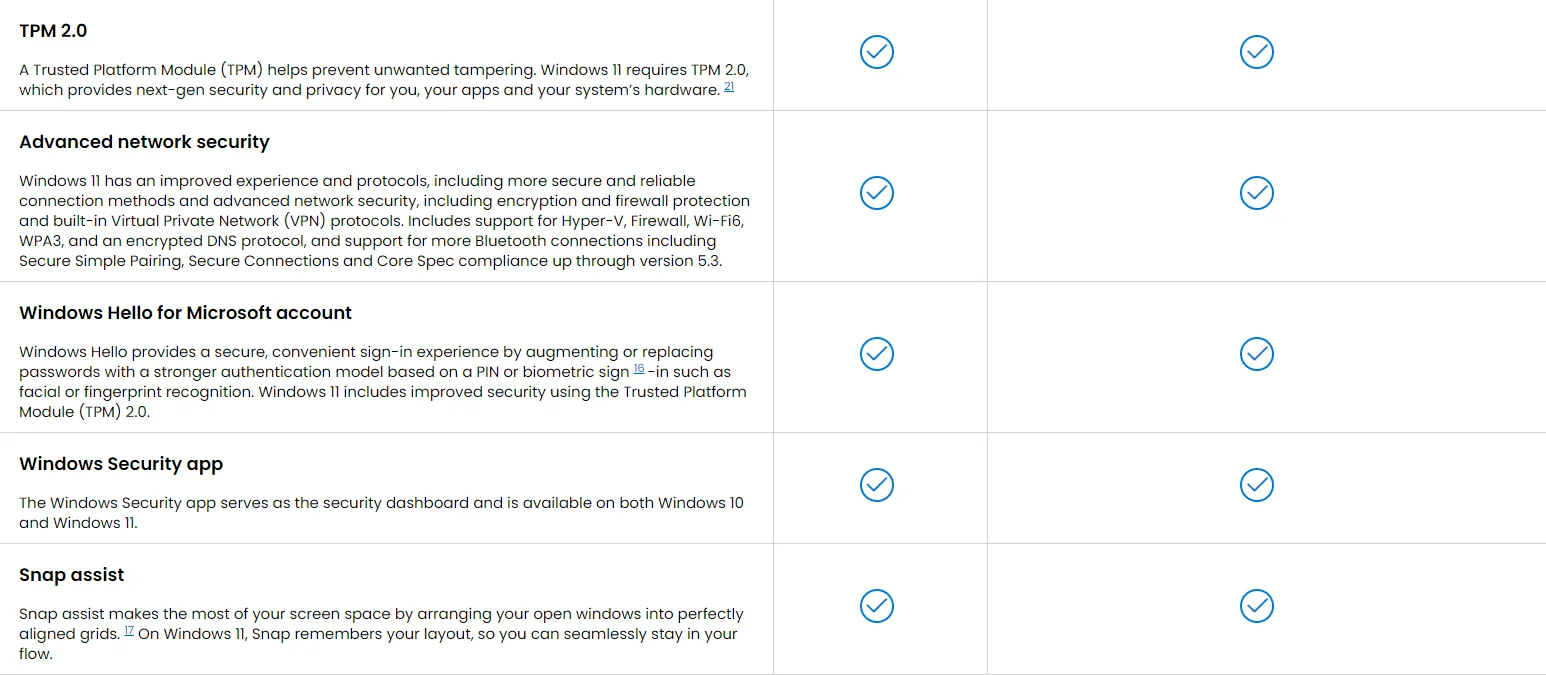
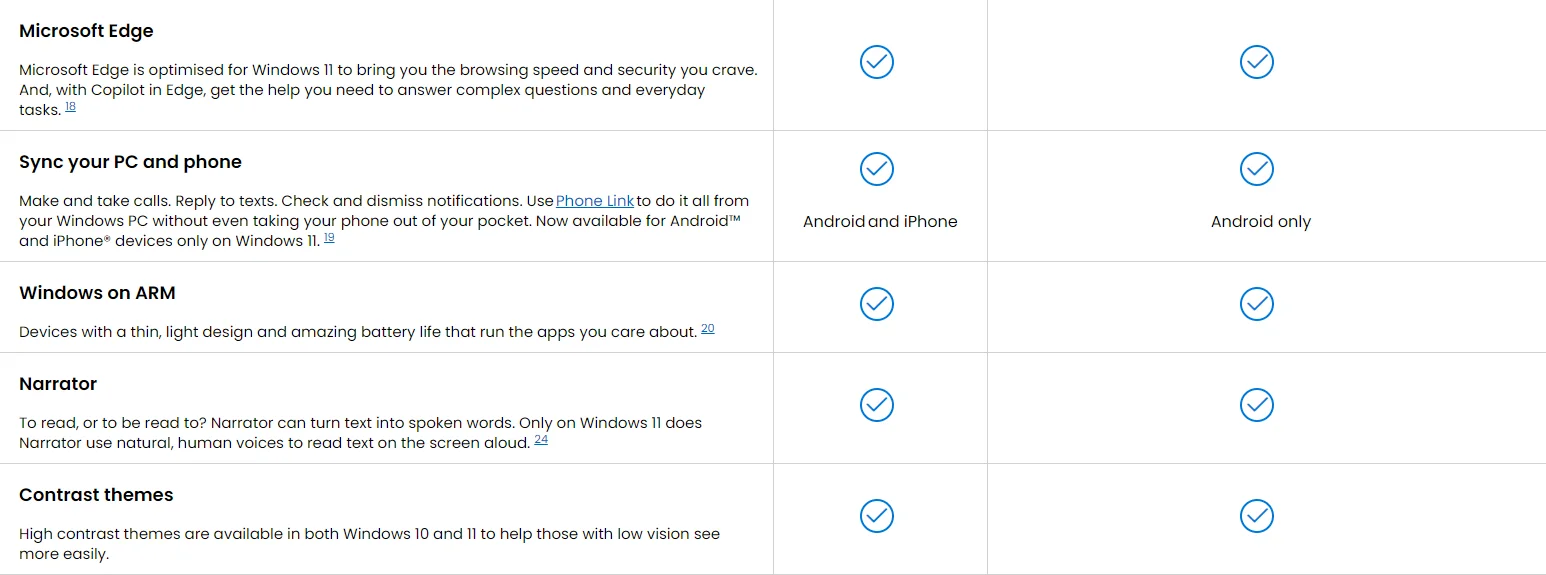
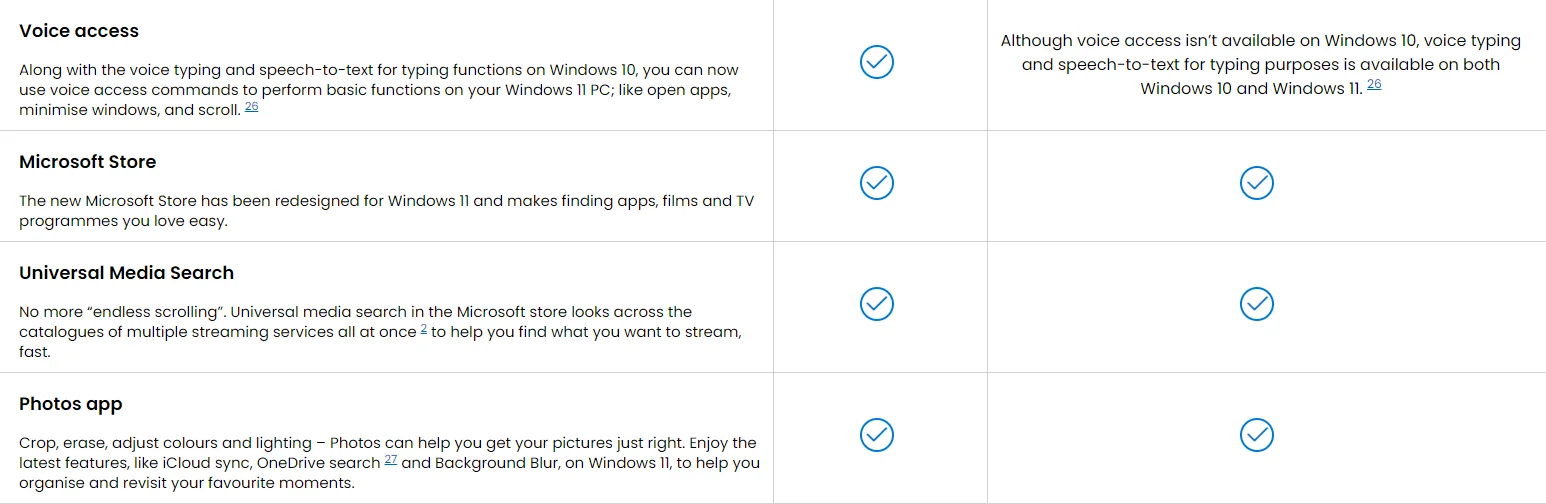
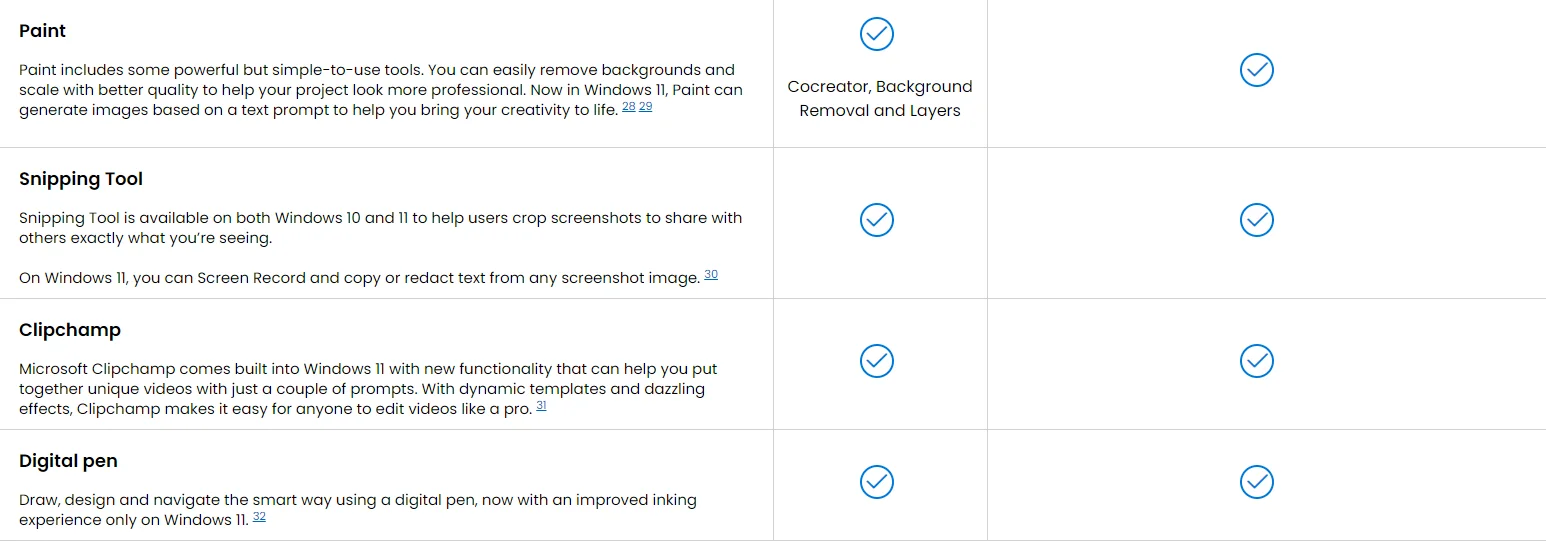
Top Products
FAQs
Please note that while these answers are accurate at the time of writing, details may change as more information becomes available or as Microsoft updates Windows 11. It’s always a good idea to check the official Microsoft website or contact Microsoft Support for the most up-to-date and detailed information.
Screens simulated. Features and app availability may vary by region.
[1] To access files across your organisation, you must be running Windows 11 Pro and signed into an Azure Active Directory.
[2] Timing of feature delivery varies by device. Feature availability may vary by market.
[3] Hardware-dependent.
[4] Only available on the latest version of Windows 11. PCs that have been running previous versions of Windows must do a full reset of the Windows 11 operating system for the feature to work.
[5] Web site and app owners will have to create a passkey for their site or app for Windows users to leverage.
[7] Apps that are no longer open will not automatically be put back into place.
[8] English optimised for Live Captions. Now with language support for English, Chinese, French, German, Italian, Japanese, Korean, Portuguese, Spanish and Danish.
[9] Windows Studio Effects are hardware dependent and require a qualified Neural Processing Unit (NPU).
[10] Auto HDR requires an HDR monitor and is supported on titles using the DirectX 11 or later API.
[11] Support for Dynamic Lighting is available on compatible devices with RGB or single-colour LED lighting.
[12] CASO requires a hybrid device with integrated and discrete or external GPU, a WDDM 3.0+ driver, DirectX 11 support and Windows 11.
[13] Available with supported games.
[14] Compatible controllers are wired or Bluetooth Game Input compatible controllers, such as the Xbox Wireless Controller.
[15] Requires a PC with touchscreen capability.
[16] For devices with supporting hardware components.
[17] Some layouts are only available based on display resolution and scale settings.
[18] Collections feature supported in all Microsoft Edge markets except China. Feature availability may vary by device, market and browser version.
[19] Phone Link requires a compatible Windows PC, Android phone or iPhone and Bluetooth connection. Device compatibility and regional restrictions may apply.
[20] Ability to run x64 applications on Windows on ARM is only available with Windows 11.
[21] Requires TPM 2.0 or greater for TPM-based key protection.
[22] Requires InstantGo/AOAC/HSTI-compliant hardware.
[23] Requires specialised hardware, including a fingerprint reader, illuminated IR sensor or other biometric sensors.
[24] Natural voices are available worldwide in US English only. Narrator is available worldwide in supported languages.
[25] Files may be made available for offline use. Internet access may be required. Requires a Microsoft account.
[26] Hardware dependent. Requires a Windows PC with microphone capability. US English only.
[27] Access to images stored on OneDrive depends on the associated Microsoft Account.
[28] Timing of feature delivery varies by device. Requires Microsoft account sign in.
[29] 50 credits are available for initial use of Paint Cocreator. The credit system may change once preview is complete.
[30] Language support may be limited. More information is available from Azure AI Vision.
[31] Microsoft Clipchamp Essentials subscription sold separately.
[32] Requires a device with touchscreen. Pen accessories may be sold separately.
[33] GIF functionality is not available in China.
[34] DirectStorage requires API adoption by games and compatible NVMe SSD, DirectX12 GPU and Shader Model 6.0 support.
[35] DirectX 12 Ultimate is available with supported games and graphics chips.
[36] Terms and exclusions apply. Game catalogue varies over time, by region and by device. Requires internet access.
[37] Windows can back up files, settings and apps from PCs running Windows 10 and higher. Geographic restrictions may apply.
[38] Requires Microsoft account. Up to 5 GB of Microsoft Storage is included.